
 New Arrival
 Mobile Phones
 Tablets
 Laptop
 TV
TV Accessories
 Home Appliances
 Air Conditioners
 Personal Care
 Home Automation
 Refrigerators
View all Kitchen Appliances
 Crockery
 Pressure Cookers
 Induction Cooktops
 Electric Kettles
  Air Fryer
 Chopper
 Wet Grinders
 Chimney
 Dish Washers
 Hand Blenders
 Ovens /Toasters /Grillers
 Mixer JuicerGrinder
 Gas Stoves
 Pots & Pans
 food-processor
 Dining-and-serveware
 Electric-cookers
View all Small Appliances
 Fans
Fans Irons
Irons Water Heaters
 Water Purifier
 Air Coolers
 Vacuum Cleaners
 Sewing Machines
 Voltage Stabilizers
 Inverters
 Emergency Lights
 Water Dispenser
 Air Purifier
 Torch
Torch Smart Wearables
 Speakers
 Computer Accessories
 Camera Accessories
 Gaming & Accessories
 Entertainments
 Graphics Cards
 Microphone
 Car & Bike Essentials
View all MobileAccessories
 Headphones & Headsets
 Power Banks
 Connectors
 Memory Cards
 Mobile Chargers & Cables
 Mobile Holders
 Smart Bands
 Sound Bars
 Home Theatres
 Portable/Trolley Speakers
 External Hard Disks
 Pendrives
 Mouse
Mouse Keyboards
 Web Cams
 USB Hubs
 Printers
 Monitor
 Network components
 Laptop-Tables
 Tripods
 Gaming Consoles
 TV Streaming Devices
 Smart Assistants
 FM Radio
 Shavers
 Hair Dryers
 Hair Straighteners
 Perfume
 Electric Toothbrush
 Projectors
 Smart Security Accessories
 Wi-Fi Camera
When Smart TVs were first introduced into the market the price was high and many customers refrained to buy it. But presently, Smart TVs have become a common appliance regardless of its price. However, there are Smart TVs at affordable ranges too. Today there is a wide array of Smart TV in the market and it creates big confusion when it comes to choosing one out of dozens. Smart Tv market is vigorously competitive with Smart TVs from numerous manufacturers, with different screen types, at different prices, etc. One gets truly confused when buying a Smart TV. Through this article, we will be clearing your doubts and confusions. We will make it easy for you to choose a Smart TV.
Budget
The first thing you have to do when buying a Smart TV is to set up a budget. As mentioned earlier, Smart TVs come in different price ranges. You can even get a Smart TV at a minimum of Rs 10,000 and the maximum price can go above 3 lakhs. Once you have set your budget for the Smart TV then you can zero in on the other features and compare it with the price.
Brand
The Smart TV market is witnessing a tight competition in the present market as said earlier. There are brands like Sony, Samsung, TCL, Mi, LG, Impex, etc competing against each other. Every brand has its own qualities and goodwill. Sony, Samsung, TCL, and LG offers different products of different qualities. The price of it is directly proportional to the quality. Talking about Impex, you can find a wide range of budget Smart TVs. It is actually down to you when it comes to choosing a brand as all the products by the aforementioned brands have equal pros.
Screen Size
Screen size is one of the vital aspects of Smart TV. There was a time when we used to enjoy watching movies and shows in CRT televisions. After a while, when the companies desisted its production, TVs with a slim design and big screens stepped into the market. Since the invention of such TVs, we started to admire bigger screens. Yes, the experience is much better on big screens. Whether it be movies or playing games connecting your PlayStation, the viewing experience will be miles better in gigantic screens. However, some people may not like super big screens. Or sometimes a bigger Smart TV may not fit well in the room. In that case, a smaller one will be ideal. If there will be a large audience while you watch then a bigger one is better. By understanding the purpose set right screen size. From 24 inches to 65 inches and above, there is a wide assortment of Smart TVs in the market at the moment. Also, consider your budget when choosing a screen size. However, I will give you an outline. For viewing distance of 3 to 5 feet, you could go for a 32inch Smart TV, from 4 to 6 ft you could go for 40-inch smart TVs, from 5 to 6 ft you could consider 49-inch Smart TV, for 6 to 8 ft you may consider buying a 55-inch Smart TV and for any distance above it, you could go for 65-inch Smart TV or bigger. Also, consider the space you have as said earlier. You can keep in mind these suggestions and choose Smart TV wisely.
Display Type
The most vital aspect of Smart TV is obviously its screen. In the modern market, there is an ample of Smart TVs with various display panels like LCD, LEC, OLED, and QLED. However, LCD TVs are not much opted by the customer after the arrival of better panels like LED and OLED. LCD (Liquid Crystal Display) technology took its initial step right after the demise of CRT displays. Since the likes of LED, OLED, QLED technology were introduced LCD technology became a little dull.
LED is the widely used display at present. It uses the same Liquid crystal display technology but adds light-emitting diode (LED) backlighting providing a brighter visual for users and makes the Smart TV much slimmer. LED Smart TVs consume less energy and that is why it is opted by the most.
Coming to QLED, it is a new technology that produces colored lights by using quantum dots which is a type of semiconductor. These displays outperform the LED screens by enhancing the brightness and colors on the TV. The visuals in QLED displays are more vibrant when compared to LED screens. However, QLED is a little expensive comparatively.
OLED (Organic light-emitting diode) is another technology widely used in various Smart TVs and just like QLED, the OLED Smart TVs also come high price ranges. OLED uses a mechanism that emits light when current is passed through them You need to have a better budget to buy OLED Smart TVs. Do not look further if you have the money, it will surely worth it.
If you have a limited budget then you can settle with LED screens. Or if you have a better budget you could go for the likes of OLED and QLED.
Display Resolution
Resolution is precisely the clarity or sharpness of a Smart TV display. It is normally measured in pixels. Then higher pixels the better clarity. Smart TVs nowadays come in different resolutions like 720p (HD) , Full-HD (1080p ), WUXGA, 2K (2048 x 1080), UHD or 4K (3,840x2,160 pixels), and 8K (7,680x4,320pixels ). Even HD displays are a treat for our eyes. You will get an immersive experience. The resolutions beyond that can give you an unreal viewing experience.
If you are intending to buy an HD Smart TV there are various models like Onix 32 inch LED TV, Mi LED Tv 4C PRO 32inch HD Ready Android TV , etc. Now if you are planning to go for Full HD Smart TV then you can consider Mi TV 4A Pro 43 Inch Full HD Smart LED TV or TCL 40 inch LED TV 40G300 . TCL 49 inch Android LED TV and TCL 43 inches Android Ultra HD Smart LED TV are some of the best 2K Smart TVs. Other Smart TVs in 4K and 8K resolution can furnish you with crystal clear clarity. However, the price will be a little high. If you have an adequate budget to buy a 4K Smart TV then you can add Sony Bravia 43inch Ultra HD LED TV KD-43X8000G and LG 43inch Ultra HD 4K LED Smart TV to your shortlist. The aforementioned models are just some examples of the respective resolution. Although, there are many models from different brands. Try visiting myG website to find numerous Smart TVs of different resolutions from different brands at the best price.
HDR
HDR videos are vibrant comparatively. When a Smart TV is HDR supported it precisely means it can give a dynamic range of color, extensive color gamut and can give brighter and clarified visuals. Adding to that, HDR video has a better contrast level. HDR has two variations which are HDR 10+ and Dolby vision. The color depth of the former is 10bits and the same of the latter is 12-bits making it superior. LG, TCL, and Sony are some of the brands that back the Dolby vision format. However, there is no vast difference between the two formats, so you can proceed with any one of them. Let it be any format, your visuals will be indeed spiced up.
Refresh Rate
Denoted in Hertz(Hz), refresh rate determines how many times in one second a picture gets refreshed. 60Hz is the standard refresh rate. The more the better and seamless viewing experience. In 60Hz sometimes the pacy pictures can become a little and it was then the manufacturers upgraded the refresh rate to 120Hz. If you are a gamer 60Hz would be enough but if you are going for the better one you gaming spell will be more immersive and uninterrupted.
Connectivity
The majority of the modern console boxes, Blu-ray players, set-top boxes depends on HDMI ports. Connecting to ports like component ports will not give the best clarity for your visuals. So ensure that the Smart TV you buy has at least two HDMI ports. You could even find Smart TVs with more HDMI ports. Also ensure it has USB ports so that you can connect your smartphone, Chromecast, Pendrive, etc. Even if you are going for more ports it will be better as it may come handy in the future.
What makes Smart TV different from other TVs is its ability to connect to the internet. They even offer android applications, Netflix, etc. Anyways, you can keep the above-mentioned things in your mind when you go for a Smart TV. Understand the specifications and compare it with the price and make the move for your favorite one. There are wide varieties of genuine Smart TVs in myG online store. They have become a renowned online store for the best Smart TVs of top brands they offer. Order from myG and get your Smart TV delivered the same day.
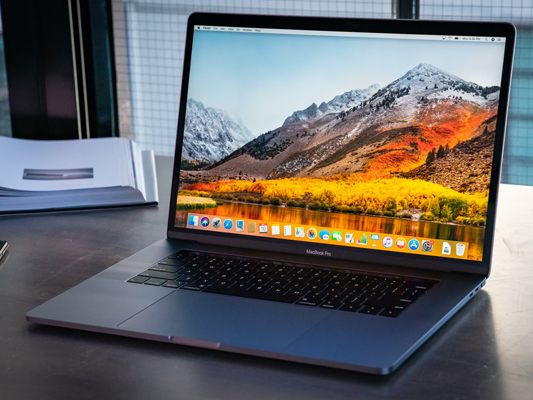
What is a Laptop? Well, we all know what it is and an introduction is not imperative here. Anyways, for those who do not know, it is a portable computer. The invention of the laptop created a notable revolution in the digital world. It came as a bulky and heavy gadget at first but at the moment we have different varieties of laptops from renowned brands like Apple, HP, Dell, ASUS, Acer, Lenovo, etc. Laptops at first had only one variant but now we have a bevy of laptops that can be used for different purposes. There are laptops that are specially made for office use, for gamers there are high-end laptops made for gaming, there are foldable laptops like Acer Aspire 5 and there are a lot more options in the present market. Laptops were once a premium gadget that was acquired only by companies for office use but now they are priced in an affordable range and it has become an extensively used device. Many people adhere to Laptops nowadays and there are reasons behind it. Let's dive into it.
1. Portability
The portability or the can-be-carried-around quality is something makes a laptop a special gadget. You can take laptops anywhere you want. Let it be lying on the bed and watching movies, cooking and watching cooking instructional videos simultaneously, or sipping coffee at a cafe while working, a laptop comes handy. A Laptop can be taken with you wherever you go and this is one of the prime reasons most people choose laptops.
2. No Need For Additional Accessories
This is one of the best advantages of a Laptop. It comes with an inbuilt keyboard, touchpad, and speakers, unlike a PC. So it is not necessary to buy a keyboard or mouse unless you want it. At present companies are manufacturing laptops in funky keyboards and touchpads. In the past, laptop keyboards and touchpads had a similar style but now companies are giving those a different look. For example, take HP-Gaming Pavilion. It comes in a cool backlit keyboard that gives the laptop a vibrant look. And there are many laptops equipped with stylish touchpads too.
3. Low Power Consumption
Using a laptop can trim down your electricity bill. Laptops sport small components and as a result, it consumes only less power when compared to a desktop PC. Moreover, as a Laptop boasts a rechargeable battery, power will be consumed only while charging and not otherwise as it does not require to be plugged to work. So, if an office consisting of 100 employees uses only laptops then it can bring a massive difference in power consumption.
4. Comfortable Dimension
Laptops design lends a big hand in the comfortability. As it is small and slim it can be carried around like a book. Laptops can also fit into bags. By small and slim, it could also hint that it needs very less space to be used. We can even keep it on our laps to use. So the handy dimension makes a laptop quite different from a PC.
5. Ergonomic Keyboard
The keys in a laptop have scissor-style spring beneath it meaning typing would be not only convenient but also faster. Unlike a PC laptop has a panel beneath the keyboard where the touchpad is placed. This panel can be used to lay our wrist making our typing spell more convenient. Getting used to typing in a laptop and switching to a PC after can give you a hard time getting used to as you will not get that easiness in typing which you get in a Laptop.
6. Easy For Internal Operation
The components of Laptops are mostly pop-in/pop-out components. If you want to remove your battery, just unclipping its clip would be necessary and you could remove it very easily. Even changing RAM or other components is comparatively easy. Once you unscrew the bottom panel you could easily remove the components by simply popping it out. In short, changing the spares is easy that it does not require help from a technician unless you are not confident to do it by yourself.
7. Gorgeous Than A PC
Isn't a laptop beautiful? Yes, it is. If you are not quite sure about it try checking how good-looking is laptops like HP OMEN 15-dc1000 Series, Lenovo Ideapad 330, Apple Macbook Air, Acer Spin 1, etc are. Laptops come in different finishes like matt, glossy, etc and regardless of those it always looks classy and stylish. This is something PC cannot match.
8. Easily Accessible Ports
Laptops boast multiple ports just like a PC but it is easily reachable. The ports are placed conveniently on the side panel meaning you need not bend down to access it. Whether it be connecting an HDMI cable or a USB drive, your hands could easily reach the ports.
9. Handy For Students
Laptops are widely used by students just like a notebook. Internet is a hub of materials needed for any syllabus and laptops can make things for students to download such materials and files. Laptops can be also carried to the institution and with the help of software like word, students could take down notes by typing instead of writing in a book. Even for preparing presentations laptops lends a big hand.

The world is witnessing a serious climate change and the heat of the sun has become aggressive as a result. Even in winter and autumn season, we sometimes experience unbearable heat making everyone adhere to air-conditioned spaces. Air conditioners were once acquired by only a certain set of people. But things have changed now. Almost everyone is looking forward to buying an AC as it gives relief and lends a hand in tackling the summer heat. People were once reluctant to invest in Air conditioners but now everyone is actually compelled to go for an air conditioner because the heat has become that vigorous. Thanks to brands like Voltas and LG, we are blessed with a long-winded list of Air conditioners in the market at present. Though 'cooling an area' is the primary feature of an AC, it boasts several other benefits. Let us see that.
1. Quality Air
Do you know that an Air conditioner purifies the indoor air? Thanks to technology, it is true. That is how an Air conditioner works. They suck the indoor air, which includes dust and other particles and filters before discharging cooler air. This also means Air conditioners are helpful for those people who have dust allergies or breathing-related issues. However, to get the fullest of the purification function, your AC ought to be kept clean always or else it could become the reason for indoor air pollution.
2. Reduces Insects
It is irritating to have insects in our homes. They might be tiny but they could drive major diseases. Several diseases like Chikungunya, dengue, plague, leishmaniasis, etc fall under the long-winded list of diseases caused by insects. However, installing an AC can keep insects away because they like humid or hot conditions to live as they are exothermic meaning they are cold-blooded.
3. Enhances Employee Efficiency
If you are an employee and have worked in a hot atmosphere you would know how tedious the day would be. Working in a hot condition prevents our brain from thinking and reasoning. This will reduce the prolificity of an employee. On the contrary, if you are working in an air-conditioned space it relaxes you and uplifts your decision-making ability which in result improves your work efficiency.
4. Calms You Mentally
Studies have shown that the stress hormones changes according to the temperature. That is why people tend to become apoplectic when it is hot. This is where an Air conditioner can assist you. It not only cools your body but also calms you down mentally.
5. Better Sleep
Humidity and heat can interfere in your sleep. It does not matter how hard we try to sleep, if the atmosphere is hot you wont to be able to sleep. Even if you are completely fatigued and drowsy you will wake up amid the night. Air conditioners come to the rescue at this moment. It will not only let you sleep relaxedly but also give you a happy vibe when you wake up. By relaxed sleep, it means quality sleep. When you sleep in an air-conditioned space, your body becomes cool and it bolsters your natural instinct of sleep. This is why you get better sleep in cool spaces.
6. Secures Furniture
Wood can expand or contract in tandem with the climate. When heat is converged with humidity it can wreak havoc on furniture especially the leather furniture. When there is excessive heat, furniture can become a subject of warping. But Air conditioners can get rid of the heat in the space and this prevents your furniture from getting damaged. If your bedroom has furniture then it would be ideal to install an Air conditioner and let your furniture last longer.
7. Stops Overheating In Electronic Devices
We are aware of the effects heat and humidity can bring to the human bodies. Just like that, excessive heat can also cause problems for electronic devices. We know that electronic devices after some usage can slightly heat up by itself and when this heat teams up with the high temperature it can potentially bring damages, taper the lifespan and cause to lose data. This is one of the prime reasons office spaces are air-conditioned. Air conditioners not only relieve the mind of employees but also prevents electronic devices from overheating and keep it secured.
8. Bolsters Security
Opening the windows and door for better air circulation and getting rid of heat is one of the common practices we witness. It is indeed effective but on the other hand, it makes it easy for someone to break-in. Now let us take an air-conditioned home. When we turn on the AC we normally shut the windows and doors to get the best out of the AC. While getting the best of it, this also can make your home secure.
9. Reduces The Chances Of Asthma
You might not have heard about this statement much. But it is true. As said earlier, an air conditioner sucks the air and purifies it. When this absorption takes place, the culprits of Asthma attacks like pollen, mold, mildew and other allergens are also sucked up and this boosts the chance of preventing Asthma. Ensure your AC is from a popular brand so this process will work efficiently.
10. Lets You Stay Hydrated
When we sweat, it means we are losing the intaken water from our body. In an air-conditioned space, we never sweat. This will reduce the chance of dehydration. When you buy an AC verify that it has the best cooling capacity so that you will be furnished with better comfort.

Samsung lately launched Samsung Galaxy Note 10 Lite and we know how well it is performing in the market now. Samsung has now fortified their grip in the smartphone industry by launching Samsung Galaxy A71 – A phone that stands out in every department. We have seen how Samsung A51 thrived in the market in the starting stage of 2020 and Samsung is looking forward to maintaining that momentum through A71. Galaxy A71 features the latest Android 10 and Samsung has upgraded the chipset and RAM from its predecessors like A70 and A70s. Let us see in detail what more does A71 possesses.
Key Specifications
- Qualcomm Snapdragon 730 Octa-core Processor
- 8GB RAM
- 64MP+12MP+5MP+5MP Rear Cameras
- 4500 Battery
- 6.7-inch display
- Android 10 (Q)
Samsung Galaxy A71 – Design
- Dimension : 163.6 x 76 x 7.7 mm
- Weight: 179g
We normally expect devices with screen size like this to weigh a bit but contrary to the expectations A71 weight isn't that heavy at 179g. The dimension is actually a tad big but it won't make it extremely difficult to handle. However, for one-handed use, it will be a bit difficult. A71 boasts an Infinity-O-display meaning the bezels are really thin and apparently there is a punch-hole for the selfie camera at the top. Coming to the rear side, Samsung has given a prism-like-effect which gives A71 a different personality. There is a vertical rectangular module at the top left in which the quad-cameras are placed in an L shape. Samsung has also housed the flash inside the very same module. The Samsung logo is placed in the bottom center just like we have seen in other Samsung phones. Coming to the button placements, the power buttons and volume keys are placed on the right side of the phone. On the left, there is the sim card panel which requires a pin to be opened. Sim card tray boasts two nano sim slot and a dedicated slot for the Sd card. The bottom panel houses the headset jack, 25W fast-charging USB Type-C port and, speaker. The design, altogether, looks fantastic and Samsung deserves to be praised.
Samsung Galaxy A71 – Display
- 6.7 inches FHD+
- Super AMOLED Plus Infinity-O- display
A71 sports a gigantic 6.7 inches FHD+ Super AMOLED Plus Infinity-O-Display capable of producing dynamic colors, giving wide-angle views and appropriate brightness level. As it is an infinity-O-display the viewing experience would be stunning for you. The experience will be equally excellent for you when watching movies, playing games, etc as it boasts a screen resolution of 1080x2400 pixels and a pixel density of 393ppi. Overall, Samsung has done an excellent job in the display department.
Samsung Galaxy A71 – Performance
- Chipset : Snapdragon 730 (8nm) Octa-Core
- Graphics: Adreno 618
The performance of A71 is worth boasting about and Samsung deserves a big pat on the back. A71 sports Snapdragon 730 that has eight cores. It also boasts Adreno 618 graphics card and an 8GB RAM. At this price segment, A71 is one of the fastest phones you could get making it one of the strong competitors in the market. Everything like browsing, navigation, movement from apps to apps, etc is seamless in A71. Not to mention the massive gaming performance. When we say performance is excellent, it is that good that it gives A71 a better edge over its competitors. Samsung has done a successful job in enabling high-end games to run smoothly in A71. You could even play games like PUBG, Asphalt 8: Airborne even in full graphics. if you are a gaming admirer you would surely love A71. Adding to that, the device does not heat even when used hectically. Approximately 35° is the maximum temperature it reaches which is much better when compared to its competitors. The performance in total is superb without any doubt.
Samsung Galaxy A71 – Camera
- Quad Rear Camera : 64MP + 12MP + 5MP + 5MP
- Front Camera : 32MP
This is another department where Samsung has brought upgraded. They have housed 4 cameras in the camera module of A71 rather than the three of A70. The cameras are accompanied by an LED flash. The gargantuan 64MP camera is twice powerful than the primary camera of A70. This camera is accompanied by a 12MP wide-angle camera, 5MP depth camera, and a 5MP macro camera. On the front, inside the punch hole, there is a The default shooting code combines all the pixels into a single larger pixel making it capable of capturing more light data per pixel. In a bright light scenario, A71 delivers excellent images with great dynamicity, sharpness, and sharpness. The low light photos are decent though it doesn't match the clarity of bright light images. For selfie fans, A71 would be ideal as the 32MP camera is capable of furnishing with fabulous images. A71 is also capable of recording 4K quality videos at 30fps with the rear quad-camera.
Samsung Galaxy A71 – Battery
- Capacity: 4500 mAh
- Charging: Super-Fast Charging
A71 contains powerful 4500mAh couples with Super-fast charging. This battery is one of the long-lasting battery in this price segment with 13 hours of web browsing and more than 19 hours of HD video playback. The 25W super-fast charging lends a big hand in rapidly recharging the battery. A71 can reach 100% from 0% within just 1.25 hrs. If you are someone who likes to relentlessly use the phone in one charge then A71 would be a great choice for you.
Samsung Galaxy A71 – Variants
A71 is a treat to look at mainly because of the elegance of its colors. It comes in 4 colors, viz, Prism Crush Black, Prism Silver, Prism Blue, and Prism Pink. For every color, there is a prism texture as its name which gives a better personality for A71. Samsung offers A71 in 8GB RAM and 128GB ROM. Since they have seen a good movement in the sales we could expect more variants will be rolled out soon
Samsung Galaxy A71 – Price
A71 is not heavily priced at Rs.29,999 as it is surely an upgrade over A70 and a strong competitor in this price segment with a giant display, impressive camera and a high-performing processor.
Summary
A71 is obviously an upgrade to the A70 and is packed with stupendous features. You could easily splash Rs.29,999 without any worry. With a big screen, strong battery and much more A71 would be an ideal choice if you are looking for a flagship. To enjoy every bit of A71, buy it from a renowned store like myG where you can get an original piece.

We live in an era where we have multitudinous choices when it comes to buying a smartphone. We are past the time when we had smartphones with 8MP or 5MP cameras. The technology is relentlessly growing and the manufacturers are compelled to step up their game by including the latest technologies as there are numerous brands working their sock off for the same goal. Vivo is a well-admired smartphone manufacturer and they have recently launched a style-eccentric phone – Vivo S1 Pro. This smartphone is literally the big brother of Vivo S1. S1 Pro comes in a stylish design, especially with an unprecedented diamond-shaped camera panel. With a colossal camera and many more features, S1 Pro comes into the tough league competing against the likes of Realme X2, Redmi K20, and the latest Oppo F15. Let us see in detail what S1 pro is all about.
Key Specifications
- Chipset : Qualcomm Snapdragon 665
- Rear Camera : 48MP + 8MP+ 2MP + 2MP
- Battery: 4500 mAh
- RAM : 8GB
- ROM : 128GB
- Funtouch OS 9.2 (Based on Android 9.0)
Vivo S1 Pro – Design
- Dimension : 159.25 x 75.19 x 8.68mm
- Weight: 186.7g
We have seen how classy was Vivo S1's design and S1 pro follows that legacy. However, at 186 grams S1 pro is a tad heavy but it is compensated with quality designing. Coated with a glossy finish the phone sparkles and it is not as slippery as we expect. The edges of the phones are curved to make it comfortable to hold. On the front, the selfie camera is housed inside a water-drop notch at the top center. The rear panel of S1 Pro is what makes it unique. The unique diamond-shaped camera module is placed at the top center. Vivo has made the module as thin as possible so it does not protrude that much. Equipping a back case would get rid of the slight bump. They have also placed the flash right beneath the module. The rear panel which is plastically laminated also flaunts the Vivo logo in the bottom center. Glass would have given better protection for S1 Pro. Coming to the button placement, everything is in the perfect place. You would not feel any discomfort to press the buttons. The left side of the panel boasts the hybrid sim tray and the right side has the volume button and lock button. Not to mention, the red shade of the lock button gives the phone a different look. The USB Type-C port and the speaker are placed at the bottom and at the top Vivo has placed the headphone jack. Vivo has put everything just right altogether.
Vivo S1 Pro – Display
- Screen size: 6.38inches (16.20cms)
S1 Pro boasts a massive 6.38 inches Super AMOLED display that has impressive display quality. Colors appearing in the display are vibrant and have a good dynamic range. Even in bright sunlight, you won't find the display difficult to see. With 1080 x 2340 resolution, you could play games and watch movies with the best clarity. The display has a 404-pixel density and has an aspect ratio of 19.5:9 making the bezels thin. Vivo has ditched the rear fingerprint scanner and placed it on the screen just like we see in most of the phones lately. Vivo has also given funky animations when unlocking which looks cool in this super AMOLED +FHD display. Vivo also offers some display options like blue-light flicker and low brightness anti-flicker which lend a hand in reducing the screen flicker in low screen brightness. In total, the display will surely satisfy the user.
Vivo S1 Pro – Performance
- Chipset: Qualcomm Snapdragon 665
- Graphics: Adreno 610
The performance department of S1 Pro is quite impressive in spite of housing a Snapdragon 665 which is not the strongest chipset. Maybe the performance is supported by the massive 8GB RAM. Multitasking is not obstructed by stutter or lag. So is the navigation and movement from one app to another. If we were to rate every department, the performance department may fall short of a good rating. However, it works quite decently but not that well when compared to its competitors. It is not the best phone for ultra gamers, but for normal gamers, S1 Pro would be fine. The In-Display fingerprint scanner is one of the fastest in the smartphone industry itself with the quality to unlock the phone in milliseconds. We are used to seeing the FunTouch OS in other Vivo phones and S1 Pro also features FunTouchOS 9.2 overlayed by Android Pie. S1 Pro also has a dark mode which makes it quite good for the eye to view the screen at night.
Vivo S1 Pro - Camera
- Primary Camera: 48MP + 8MP+ 2MP + 2MP
- Secondary Camera: 32MP
S1 Pro houses a quad-camera atop the elegant and unique diamond camera module. There is a 48MP primary camera, 8MP wide-angle camera, 2MP macro camera, and a 2MP depth camera. Coming to the front, there is a 32MP selfie camera placed inside the waterdrop notch. S1 Pro provides a user-friendly camera application that has conveniently placed every shooting mode near the trigger button. S1 Pro's camera is capable of furnishing you with decent landscape images in daylight with good details, satisfying colors and decent but not superb depth. The macro lens also is capable of giving you very detailed photos with nice bokeh. Talking about the wide-angle camera, the angle coverage and detailing are really impressive. Whereas the colors are not as good as we expect but decent though. There is nothing to boast about low-light photography. It is not top-notch nor poor. There are slight drawbacks here and there in the rear camera sector but it is compensated by the performance of the selfie camera which can capture pretty detailed images in every light condition. With S1 Pro you could also take decent video up to 1080p quality.
Vivo S1 Pro – Battery
- Capacity: 4500mAh
The battery is one of the main parts which every user wants the best. Everyone always loves a phone that can be used for a long period with one charge and S1 Pro is ideal for that. The whopping 4500mAh battery housed in S1 Pro is capable of lasting more than a day with normal usage. The battery can be charged from 0 - 100 with the Dual Engine Fast charge feature in about 90 mins. The battery deserves a 9 rating on the scale of 10.
Vivo S1 Pro – Variants
Colors of the phones can give it a different look. Some budget phones look like premium phones just because of cool colors. Talking about S1 Pro's colors, it is offered in three colors- Fancy Sky, Knight Black, and Nebula Blue. Fancy Sky is more like a blend of white and light pink, Knight Black mixes black and light shade of gray and Nebula blue amalgamates colors like dark blue, light blue and light purple. All the three colors looks really good. Coming to the RAM and storage, Vivo offers S1 Pro in only one variant – 8BG/128GB. Maybe we can expect more variants in the future.
Vivo S1 Pro – Price
S1 Pro is priced at Rs.18,990. It is one of the best phones you could get at this price segment despite possessing a not-so-powerful chipset. If you are looking forward to buying it, try visiting myG stores. You will get the genuine piece there.
Summary
Vivo S1 Pro is one gorgeous phone with super design, a crisp display, and a powerful battery. The design especially put them a tad ahead of others in the league. The overall performance is also pretty decent and it is also priced fairly. You would not regret buying it. Order it now from myG and get it delivered the same day.

The Lenovo Ideapad series mainly focus on one who likes to work on the go. Lenovo Ideapad 330 is one of the most powerful laptops that provide good processing power that you don't have to depend on a full-fledged workstation PC all the time. You can choose a GPU if you wish to work on graphics-intensive applications. Overall this model comes with a great set of specifications.
Find out more by reading this review.
Lenovo Ideapad 330 Design
The polished aluminum paint with a monochrome colour scheme gives a subtle metallic feel to the body of the laptop, giving a luxury feel. It's a light weight laptop weighing just 2.2 kg. The touchpad is big enough but its sensitivity is a little lower. The keyboard is quite user friendly and is comfortable for everyday use. It holds hinge-less design as it has the ability to open at any angle between 0-180 degrees.It is available in Platinum Grey, Blizzard White, Midnight Blue, Chocolate and Onyx Black colour. The company claims that this laptop doesn't have the hinge breaking issue that many other laptops commonly face. The speakers are loud enough for listening to music and watching movies.
Lenovo Ideapad 330 Display
A 15.6-inch full HD IPS display which is non-reflective that attracts fingerprints quite easily. Display brightness is fine for daily use, but using it on outdoors regularly, the brightness is disappointing. The viewing angles are quite good. Colors are not too sharp and the text is legible even if the display is pushed back completely. It also comes in another display option of 15.6 inch HD display with a resolution of 1366x768 pixels. The anti-glare coating on the display eliminates the reflection of light.
Lenovo Ideapad 330 Performance
Performance is the most important aspect of a laptop. This laptop has a configuration of 1.1GHz (Turbo upto 2.4GHz) Intel Celeron N4100 processor, 4GB of RAM and integrated Intel HD 600 graphics card. The processor of this laptop has a configuration up to Up to 8th Gen Intel® Quad Core i7-8550U.
Lenovo Ideapad 330 Graphics
The Ideapad 330 provides a GPU up to NVIDIA GTX 1050 with a memory from 2GB to 4GB. NVIDIA GTX 1050 would be most suggested for gamers and other heavy users.The laptop also comes with a GPU upto AMD Radeon 540 with a memory of 2GB equipped with an onboard Intel HD 620 Graphics chip.
Lenovo Ideapad 330 Keyboard and Touch pad
The laptop has a chiclet-style keyboard where the keys are quite well spaced with a good grip and are designed flat which enables comfortable typing. The keyboard is not featured with backlighting.The touchpad has the same color as the rest of the devices and is positioned slightly towards the left but suitable for inputs gesture control. This works fine and even support multi-touch gestures.
Lenovo Ideapad 330 Ports and Storage
The laptop holds an abundance of ports. You can find a USB Type-C 3.1 port and two USB 3.0, an HDMI port and an SD slot. The SD card is to extend the system storage, as well be used for transferring media to SD cards. Others include a headphone jack, an Ethernet port, DVD drive and wireless connectivity comes via the 802.11AC Wi-Fi and Bluetooth 4.1. There is also a card reader which can read SD, MMC,SDHC, and SDXC cards.Lenovo IdeaPad 330 comes with a 1TB 5400RPM hard drive that you won't need to extend the storage if you don't find a lot of files to store.
Lenovo Ideapad 330 Audio
IdeaPad 330 comes with two 2W speakers that work with Dolby Audio. The speakers are quite friendly enough in indoor spaces but in outdoor spaces its not that loud enough. For better audio experiences while watching movies or videos, an external set of speakers or headphones are suggested.
Lenovo Ideapad 330 Battery Life
All the laptops including the basic laptops look for a long battery life. IdeaPad 330 provides 3 battery variants viz 30Wh, 35Wh, and 45 preferably for light users,medium users and heavy users. You can choose from any three where 30Wh battery variant has a battery life of 5.5 hours and 35Wh variant gives you 6 hours on a full charge. After all, the battery life depends upon its usage.
Summary
The Lenovo Ideapad 330 laptop comes under a top-value laptop that offers great features and good components at a reasonable price. You get a good processor but it needs a good GPU to handle the graphics stuff. This model is best suited for students and other light users. For business purpose, choosing Lenovo Thinkpad 7480 would be a wise choice than choosing Lenovo Ideapad 330.

Oppo has unleashed it's latest smartphone model at an event in Zurich, Switzerland. The Reno comes in a stylish design with some of the Oppo's latest technologies. In India, Oppo Reno smartphone is expected to be launched in June 2019.
Oppo Reno Key Specifications
• 48-megapixel primary camera
• VOOC 3.0 fast-charging
• 3.5mm headphone jack
• In-display optical fingerprint sensor
• 'Pivot Rising' pop-up front-facing camera
• Qualcomm Snapdragon 710 SoC
• 6.4-inch Full HD+ AMOLED display
• Android 9.0 w/ ColorOS 6
• 3765mAh battery
Oppo Reno Design & Display
• 6.4-inch AMOLED display
• Gorilla Glass - front and back
• Shark-fin pop-up for the front camera
The phone's screen extends to the fringes of the phone’s body with the narrow bezels on all sides.This model comes with a 6.4-inch Full HD+ AMOLED display with a resolution of 1,080 x 2,340 and Corning Gorilla Glass 6 for protection that bleeds into every corner on the front of the handset. The display is very bright and the colours pop at its full brightness. This model is available in two colour variants - black and emerald green. With Oppo Reno, you won't spot the front-facing camera, and you won't spot a hole-punch within the boundary of the display. Instead, Oppo holds a hidden front-facing camera with both of it's front and rear camera flashes within the pivot rising camera.
Oppo Reno Performance
• Qualcomm Snapdragon 710 platform
• Available in 128 or 256GB versions
• 6 or 8GB of RAM
The Reno holds Qualcomm Snapdragon 710 which is very quick and responsive. Reno is available in both 128GB or 256GB versions. This model lacks an SD card slot for the expandable storage.Oppo Reno has a headphone jack and looking at its battery, it comes with a 3,765 mAh battery will power you through the day. Wireless charging is not supported but Oppo’s VOOC fast charging technology works very well.
Oppo Reno Camera
• 16-megapixel front camera
• 48 megapixel primary on the rear
• 4K video at 30fps
Oppo Reno has an impressive 48-megapixel primary lens and supplemented with a single 5-megapixel secondary snapper that provides wonderful background bokeh when capturing portrait shots. The front camera comes with dual 16mp where both the lenses flush with the surface of the device. Reno provides up to 4K recording at 30fps and the latest technologies included with this improve the image quality and overall capture performance. The camera also focuses on to improve colour accuracy in dim shooting conditions.
Oppo Reno Software
• ColorOS 6
• Based on top of Android Pie
The Oppo Reno series comes with Android 9.0 Pie with an added app drawer. It is powered by ColorOS 6 which is a custom skin applied to Android 9.0 Pie that includes more white space that gives a pretty look. This holds a newly designed notifications drop-down option with easy-to-use widgets. There's a new intelligent battery management system that provides much battery life as possible. While gaming, the Frame Boost system that comes with this model analyses the status of the phone performance in real-time. And if any lag is found, both the frame rate and stability will be adjusted to provide a first-class gaming experience.
Oppo Reno Battery
• 3765mAh battery
• VOOC 3.0 fast-charging
• 22.5W charge rate
Oppo Reno has an integrated 3765mAh battery which is quite good for over a day's use where wireless charging isn't a part of this device. It supports Oppo's VOOC fast-charging technology and a maximum 22.5W charge rate. VOOC 3.0 technology strictly focus on improving both the charging speed and the efficiency at the trickle charging stage, when the battery is full. The Reno's battery is able to rejuvenate 23.8 percent faster than when it relied on VOOC 2.0 charging.
Summary
Finally, Oppo Reno is really an impressive piece of kit. The notchless all-screen design makes watching videos a pleasure on the 6.4 inch OLED display. There is a lot to love about Oppo Reno.Overall, this is a well-designed phone that comes at a mid-range price. The Reno series also comes with a Reno 10x Zoom model that amazingly has an additional telephoto lens with 10x zoom which brings you closer to the beautiful world around you.

Everyone likes to own a laptop that is comfortable to carry with and helps you complete all your varied functions. When planning to buy a new laptop you will have a lot of questions in your head like what type should I buy? Which will be more comfortable for my use? Is it worth the money spent?. Adding to your confusion comes a wide variety of laptops with varied sizes, features, and prices. Making a choice from these can be quite challenging. But don't worry, this article will help you make the right decision.
Budget
Budget is the key factor that finally decides which laptop you should go with. When planning to buy a new laptop, lot and lots of models, brands, specifications, etc comes to our mind. But we could only buy the one we need based on the price range we planned. All the rest come within the planned budget. So, Plan your budget first and then go for the laptops within your range. If you are able to spend more money, you can own a decent laptop with great specifications.
Brand
When you are looking to buy a new laptop with all the necessary specifications, brand matters a lot more. Some of the leading brands include Apple, HP, Dell, Lenovo, Asus, etc. Before buying, you can conduct proper study about various brands and can opt the best that really suits you from any of the top brands.
Warranty & Service
When you buy a new laptop, warranty is one of the key factors to consider. Once you decide to buy a new laptop, its important to know the availability of authorized service centers of the particular brand with proper after sales service and best warranty offers. Today, almost all companies come with exciting extended warranty offers. So, do some research on the reviews of the one that you are looking for and choose the best. Always keep in mind to check the availability of service centers in your city.
Pick the right size
choosing the size of the laptop will depend upon your usage type. Let it be for travel purpose, business, or for work it will vary accordingly. If portability is what you are looking for then probably should go for smaller sized laptops. Size of the laptop is categorized based on the diagonal size of the screen in inches.
• 11 to 12 inches: This model is considered to be the thinnest and weighs from 2.5 to 3.5 pounds
• 13 to 14 inches: Best for both portability and usability. This weights under 4 pounds.
• 15 inches: Most popular size that weigh from 4.5 to 6.5 pounds.
• 17 to 18 inches: This system is mostly preferred for high processing power and supports high-end games and other heavy works.
Screen resolution
one of the most important aspects of a laptop is its screen resolution. If you are a person who uses laptops on a daily basis then go for eye soothing displays. The minimum resolution you usually find is 1,366 x 768 pixels. This is suitable for performing most of the tasks and also supports to work on multiple applications at the same time. To get a better idea it will be advised for you to visit your nearest store. Having a higher screen resolution will help you see icons and texts way easier and clear. Based on your eyesight and working preferences, you can decide which one suits you the best.
Keyboard
if you are a person with long working hours then you must probably go for comfortable keyboards which provides enough spaces between the keys. Make sure that the keys respond to your actions immediately, also for better experience go for a keyboard with backlighting as it helps prevent your eyes from straining during darkness. Make sure you go through some reviews to know the real problems regarding the keyboard.
Touchpad
A touchpad acts as the key to your communication towards your laptop. Make sure your touchpad responds to multiple gestures. Many laptop touchpads are awful where it does not respond to the finger movements quickly. Having a poor touchpad will make you feel uneasy about your laptop due to its slow response. Most of the latest laptops come with Microsoft-approved Precision touchpads.
Connectivity
Comparing with desktop PC, a laptop has a few numbers of ports available for the plugin. certain laptops come up with only 2 USB ports, so if you are a person who wants to plug in many things at a time you won't be able to. Say, for instance, your mouse is plugged in one port and you have your printer on the other, then there is no room for your mobile connection. In that case, you will be forced to unplug any of it. Make sure you have a clear idea about your needs. Nowadays most laptops are launched with 3 ports enabling faster data transfer. One of the drawbacks of the modern laptops is that they don't have in-built DVD drives, so if you want to burns discs then probably should go for the USB model providing your required facilities.
Performance
The more memory a computer holds, the faster it will perform. 8 GB is the most commonly found, but on higher-end devices, its found up to 16GB. If you are looking for a cheap laptop, opting 4GB will be a better option. Intel Core i3 processor will be best suited for office works and web browsing. For a more intensive task, the Core i5 chip will be more accurate as it supports large images, editing, and encoding video. Core i7 is super quick and shows the best possible performance, it will be a good option for you if you are willing to spend more.
Graphics
If you are to use your laptop for normal purposes, then the in-built graphics card will do the job. But for playing high-end games or to work with any heavy software you will need an Nvidia or AMD graphics chipset. Browsing through the reviews will help you have a better idea about which chipset suits your function the best.
Battery life
For a person who travels with the laptop, the battery life will be more important than size or weight. Five to ten hours is the average expected battery life for the general laptop. Highly portable laptops come with ten hours of battery backup. Go for consumers review to get a sincere opinion regarding the battery life as there are chances that the in-store staff might boast about it hiding the reality.
Storage
Finally the storage. SSD makes your laptop boost faster and makes it quicker and more responsive. Most of the high-end laptops come with SSDs that use PCI-Express standard, which is quite faster than a regular SSD and also shows a huge difference in performance. Its recommended to at least have a 120GB SSD if your files are mostly stored in the cloud. For home use, a 500 GB storage model will be enough. Having a hybrid "SSHD' drive helps the programming load faster.