 New Arrival
 Mobile Phones
 Tablets
 Laptop
 TV
TV Accessories
 Home Appliances
 Air Conditioners
 Small Appliances
 Personal Care
 Home Automation
 Refrigerators
 Crockery
 Pressure Cookers
 Induction Cooktops
 Electric Kettles
  Air Fryer
 Chopper
 Wet Grinders
 Chimney
 Dish Washers
 Hand Blenders
 Ovens /Toasters /Grillers
 Gas Stoves
 Pots & Pans
 food-processor
 Dining-and-serveware
 Electric-cookers
 Fans
Fans Irons
Irons Water Heaters
 Water Purifier
 Air Coolers
 Vacuum Cleaners
 Sewing Machines
 Voltage Stabilizers
 Inverters
 Emergency Lights
 Water Dispenser
 Air Purifier
 Torch
Torch Mobile Accessories
 Smart Wearables
 Speakers
 Computer Accessories
 Camera Accessories
 Gaming & Accessories
 Entertainments
 Graphics Cards
 Microphone
 Car & Bike Essentials
 Power Banks
 Connectors
 Memory Cards
 Mobile Chargers & Cables
 Mobile Holders
 Smart Bands
 Sound Bars
 Home Theatres
 Portable/Trolley Speakers
 External Hard Disks
 Pendrives
 Mouse
Mouse Keyboards
 Web Cams
 USB Hubs
 Printers
 Monitor
 Network components
 Laptop-Tables
 Tripods
 Gaming Consoles
 TV Streaming Devices
 Smart Assistants
 FM Radio
 Shavers
 Hair Dryers
 Hair Straighteners
 Perfume
 Electric Toothbrush
 Projectors
 Smart Security Accessories
 Wi-Fi Camera
Windows vs macOS Tahoe vs ChromeOS in 2025: Which Laptop Operating System Suits Your Needs
Choosing a laptop in 2025 depends on the OS that fits your workflow—Windows offers versatility and power, macOS Tahoe excels in creative performance and Apple ecosystem integration, and ChromeOS Flex delivers speed and simplicity for everyday users. This quick comparison helps you pick the right one before buying a laptop online.
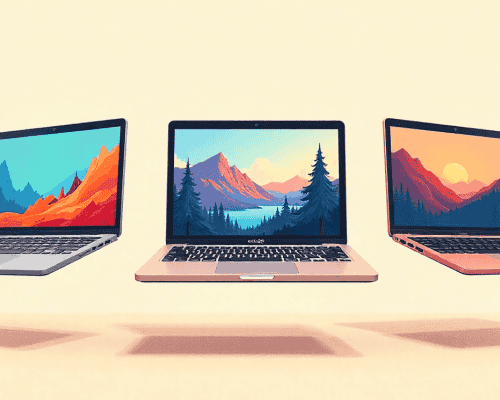
Choosing the best laptop in 2025 isn’t just about performance or looks—it’s about finding an operating system that fits your lifestyle. Whether you’re a student, designer, or business professional, the right OS can completely transform your daily experience. In 2025, three names dominate the market: Windows, macOS Tahoe, and ChromeOS. Each one has evolved with new features, better security, and smarter integration. Let’s explore which one truly matches your needs before you buy a laptop online this year.
The Changing Landscape of Laptop Operating Systems
The year 2025 marks a turning point in personal computing. Artificial intelligence and cloud integration are no longer luxuries; they're built-in essentials. From AI-powered performance optimization in Windows 11 Pro AI Edition to Apple’s next-gen macOS Tahoe and Google’s efficient ChromeOS Flex, the competition has never been tighter.
Windows 11 & Beyond: Microsoft’s Power Play
Strengths of Windows OS
Windows remains the all-rounder flexible, powerful, and perfect for diverse needs. It supports thousands of software programs, from Adobe Suite to AAA games. The 2025 version introduces AI-driven performance boosts, improved multitasking, and seamless Microsoft 365 integration. The best part? It runs on nearly any hardware, making it easier to find the best laptop OS 2025 experience without breaking the bank.
Drawbacks to Consider
However, Windows devices can vary in quality depending on the manufacturer. Frequent updates sometimes interrupt workflow, and the system can feel heavy compared to ChromeOS.
Ideal Use Cases for Windows Users
Windows is ideal for professionals, gamers, and multitaskers who want a reliable balance between performance and compatibility. Whether you’re editing videos or managing spreadsheets, Windows laptops deliver consistency.
macOS Tahoe & the Apple Ecosystem
What Makes macOS Tahoe Unique in 2025
In 2025, macOS Tahoe elevates Apple’s reputation for elegance and efficiency. Built on Apple Silicon, it introduces AI-driven resource allocation, interactive widgets, and a smart multitasking dashboard that automatically adapts to your workflow. The new Tahoe AI Core predicts which apps you’ll need next, reduces background power consumption, and optimizes performance for creative software like Final Cut Pro and Logic Pro.
The Apple ecosystem also feels tighter than ever: your iPhone, iPad, Apple Watch, and Mac now share files, calls, and even real-time notifications seamlessly. With Universal Clipboard 2.0, you can copy a photo on your iPhone and paste it directly into Photoshop on your Mac. The Continuity Camera Ultra feature even turns your iPhone into a high-definition webcam for FaceTime and video calls, delivering studio quality results instantly.
Limitations and Who Should Avoid macOS Tahoe
While macOS Tahoe shines in performance and integration, it’s not ideal for everyone. Users who rely on Windows-only applications, legacy enterprise tools, or advanced customization may find it restrictive. Apple’s closed ecosystem and premium pricing remain barriers for some, especially budget-conscious buyers or those seeking hardware flexibility.
Best MacBooks to Buy Online in 2025
If you’re ready to buy a laptop online, Apple offers two standout devices for macOS Tahoe:
- MacBook Air M3 (2025) – Ultra-light, long battery life (up to 20 hours), and perfect for students, travelers, and general multitaskers.
- MacBook Pro M4 (2025) – A performance beast for professionals, designers, and developers, boasting enhanced GPU cores, faster AI rendering, and adaptive cooling for silent performance.
Both deliver the full macOS Tahoe experience, combining speed, reliability, and seamless ecosystem integration.
ChromeOS Flex & Cloud Evolution
The Simplicity of ChromeOS in Modern Workflows
ChromeOS continues to shine in 2025 for its speed, simplicity, and affordability. With ChromeOS Flex, users can even convert older laptops into modern cloud machines. Google has also improved offline capabilities, letting you work on Docs, Slides, or Sheets without internet access.
Pros and Cons of ChromeOS Devices
Pros: lightning-fast boot times, strong security, and automatic updates. Cons: limited app compatibility, especially for heavy tasks like video editing or gaming.
Perfect Users for ChromeOS Laptops
ChromeOS is ideal for students, light office users, and anyone who lives online. If your work revolves around browsers and cloud apps, this might be your best laptop OS 2025 pick.
Feature Comparison: Windows vs macOS Tahoe vs ChromeOS (2025)
Feature | Windows 11 | macOS Tahoe (2025) | ChromeOS Flex |
Performance | High with hardware flexibility | Exceptional optimization with Apple Silicon M-series; AI-driven battery efficiency | Lightweight, fast |
Security | Improved Defender AI | On-device AI threat detection, privacy-focused Tahoe Shield, and enhanced iCloud encryption | Sandboxed apps |
Apps | Vast ecosystem | Pro-grade creative suite, seamless iOS/iPad app integration | Web-based apps |
Ease of Use | Familiar UI | Elegant design, interactive widgets, adaptive Control Center | Simplified interface |
Best For | Professionals, gamers | Creators, Apple ecosystem users, productivity seekers | Students, casual users |
Best Laptop 2025: Top Recommendations by Use Case
For Students and Travelers
- MacBook Air M3 – Long battery life, lightweight, and powerful enough for multitasking.
- Acer Chromebook Plus – Great for studying, browsing, and light editing on the go.
For Creatives and Designers
- MacBook Pro M4 – The top choice for 4K editing, animation, and creative workflows.
- Dell XPS 15 – A Windows powerhouse with stunning OLED display options.
For Professionals and Gamers
- ASUS ROG Zephyrus G15 – A hybrid machine for work and play.
- HP Spectre x360 AI Edition – Smart performance with AI optimization.
Buying Guide: How to Buy Laptop Online Safely in 2025
Trusted Platforms & Warranty Tips
Always purchase from verified retailers such as official brand stores like myG. Look for extended warranty or accidental damage protection when buying online.
Red Flags to Avoid When Shopping Online
Be cautious of unrealistic discounts, unverified sellers, or missing warranty details. Always read user reviews and check seller ratings before payment.
FAQs
- What’s the best laptop OS 2025 for everyday users?
Windows offers the most flexibility, while ChromeOS is best for simplicity.
- Is macOS Tahoe worth it for non-Apple users?
Only if you plan to use other Apple devices it works best within the ecosystem.
- Can ChromeOS run offline?
Yes, many apps like Docs and Gmail now work without internet connectivity.
- Should I upgrade my old laptop to ChromeOS Flex?
Absolutely! It’s a smart way to breathe new life into aging hardware.
- Are AI-powered laptops worth the hype?
Yes. 2025’s AI features improve battery life, performance, and multitasking efficiency.
Conclusion: Finding Your Perfect Match in 2025
In 2025, your ideal OS depends entirely on your needs. Windows remains the productivity king, macOS Tahoe dominates creative work, and ChromeOS leads in simplicity and cloud access. Each platform continues to evolve, making the best laptop 2025 choice more exciting than ever. When you buy a laptop online, focus on your use case, not just specs and you’ll find a system that works with you, not against you.
If you prefer having both online and offline flexibility when purchasing, myG Future stands as one of the best options. It lets you check models, compare pricing, and choose exactly how you want to buy whether you walk into a store or complete the purchase digitally. Choosing a trusted retailer removes unnecessary hassle and ensures you get a device that fits your needs without compromise.
 Earphones