 New Arrival
 Mobile Phones
 Tablets
 Laptop
 TV
TV Accessories
 Home Appliances
 Air Conditioners
 Small Appliances
 Personal Care
 Home Automation
 Refrigerators
 Crockery
 Pressure Cookers
 Induction Cooktops
 Electric Kettles
  Air Fryer
 Chopper
 Wet Grinders
 Chimney
 Dish Washers
 Hand Blenders
 Ovens /Toasters /Grillers
 Gas Stoves
 Pots & Pans
 food-processor
 Dining-and-serveware
 Electric-cookers
 Fans
Fans Irons
Irons Water Heaters
 Water Purifier
 Air Coolers
 Vacuum Cleaners
 Sewing Machines
 Voltage Stabilizers
 Inverters
 Emergency Lights
 Water Dispenser
 Air Purifier
 Torch
Torch Mobile Accessories
 Smart Wearables
 Speakers
 Computer Accessories
 Camera Accessories
 Gaming & Accessories
 Entertainments
 Graphics Cards
 Microphone
 Car & Bike Essentials
 Power Banks
 Connectors
 Memory Cards
 Mobile Chargers & Cables
 Mobile Holders
 Smart Bands
 Sound Bars
 Home Theatres
 Portable/Trolley Speakers
 External Hard Disks
 Pendrives
 Mouse
Mouse Keyboards
 Web Cams
 USB Hubs
 Printers
 Monitor
 Network components
 Laptop-Tables
 Tripods
 Gaming Consoles
 TV Streaming Devices
 Smart Assistants
 FM Radio
 Shavers
 Hair Dryers
 Hair Straighteners
 Perfume
 Electric Toothbrush
 Projectors
 Smart Security Accessories
 Wi-Fi Camera
Mobile Security Tips in 2025: How to Protect Your Phone from Cyber Threats
In 2025, mobile security is more important than ever. As smartphones become central to our daily lives, they’ve also become prime targets for hackers. This guide shares practical mobile security tips, highlights the best mobile phones 2025, and explains how to secure your smartphone against phishing, malware, and data theft. Protect your privacy, finances, and digital identity with smart habits and the latest technology.
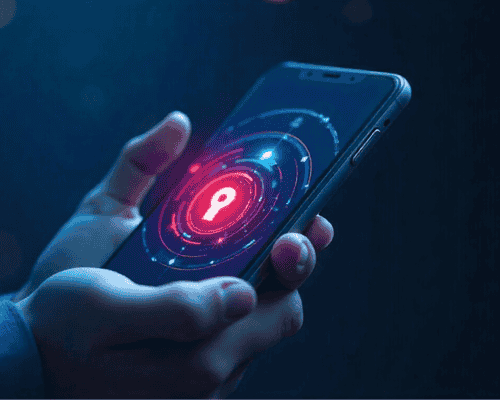
In 2025, smartphones are the heartbeat of modern life. They store everything — our photos, contacts, bank details, and even work credentials. Yet, the more connected we become, the more exposed we are to cyber dangers.
Hackers no longer rely on basic viruses; they use advanced methods like phishing, malware injection, and social engineering to target everyday users. That’s why mobile security is no longer a “techie topic” , it's a life skill.
Protecting your phone now means protecting your identity, finances, and privacy. Let’s explore how you can do that smartly and effectively this year.
The Evolving Landscape of Mobile Cyber Threats in 2025
Rise of AI-powered phishing and malware attacks
Phishing has grown smarter. Instead of generic scam emails, hackers use personal data and social media cues to create realistic fake messages. Malware disguised as “security tools” or “battery savers” can steal sensitive information without any visible signs.
Increased data theft via public Wi-Fi and Bluetooth
Free Wi-Fi in cafes or airports feels convenient, but many of these networks are traps. Cybercriminals create fake hotspots to intercept your connection. Bluetooth attacks have also risen, where hackers connect silently to nearby phones to extract files or data.
The dark web and mobile identity trade
Stolen mobile data including SIM details, IMEI numbers, and login credentials is traded daily on the dark web. Once leaked, your digital identity can be used for impersonation or fraud.
Common Mistakes That Put Your Smartphone at Risk
Ignoring system updates
Postponing software updates is like leaving your front door open. Updates fix security flaws that hackers exploit. Always update your OS and apps promptly.
Granting unnecessary permissions
Many users tap “Allow” without thinking. Some apps request access to your camera, microphone, or location unnecessarily. Always review app permissions in your phone’s settings.
Reusing weak passwords
Simple passwords or using the same one for multiple accounts makes it easy for hackers to gain access. Use password managers to create unique, complex passwords.
Downloading unverified apps
Never download apps from unofficial websites. They often contain malware designed to look harmless but collect personal data behind the scenes.
Essential Mobile Security Tips for 2025
1. Keep your phone updated
Enable automatic updates for your operating system and apps. These updates often contain important security patches that prevent new threats.
2. Use two-factor authentication (2FA)
Add an extra barrier to account access. Even if someone gets your password, they won’t be able to log in without your verification code or biometric data.
3. Turn on biometric authentication
Fingerprint and facial recognition add a layer of physical security that passwords alone can’t match. Always enable them for critical apps like banking or email.
4. Avoid public Wi-Fi or use a VPN
A VPN (Virtual Private Network) encrypts your data, making it unreadable to hackers. When traveling, it’s your safest shield against public network snooping.
5. Backup regularly
Store backups on secure cloud services or external drives. If your phone gets stolen or compromised, your information stays safe and retrievable.
6. Use trusted mobile security apps
Look for reputable apps like Norton, Bitdefender, or Kaspersky. They detect malware, block unsafe websites, and help you locate lost devices.
7. Turn off Bluetooth when not needed
Leaving Bluetooth on continuously can allow unknown devices to connect to yours. Disable it when not in use to reduce vulnerability.
Advanced Security Practices for Tech-Savvy Users
1. Encrypt your data
Most modern smartphones offer built-in encryption features. Turn them on to protect stored data even if the device is physically stolen.
2. Check for rogue apps
Periodically review installed apps. Delete anything unfamiliar or rarely used. Some malicious apps disguise themselves as system utilities.
3. Use secure messaging apps
Choose apps with end-to-end encryption like Signal, WhatsApp, or Telegram to ensure your messages stay private.
4. Set up remote wipe options
In case of theft, having remote data wipe enabled allows you to erase all information instantly from another device.
Top Security Features in the Best Mobile Phones 2025
When buying a new phone, prioritize security features as much as performance. The best mobile phones 2025 integrate advanced hardware and software defenses.
Built-in threat detection
Modern processors now include AI-based threat scanners that monitor unusual activity in real-time.
Hardware-level encryption
Premium models from Apple, Samsung, and Google store encryption keys securely in the processor, keeping sensitive data isolated.
Privacy dashboards
New Android and iOS versions show exactly which apps accessed your camera, location, or microphone, giving you greater control.
Secure folders
These locked spaces keep sensitive files separate from general storage ideal for business documents or private images.
How to Secure Your Smartphone During Travel or Public Use
Traveling exposes your phone to extra risks, especially when using foreign networks or public facilities.
Avoid public charging stations
Hackers can use compromised USB ports to inject malware into your device, a practice called “juice jacking.” Use your own charger or a power bank.
Disable auto-connect options
Turn off features like “Auto-Join Wi-Fi” or “Nearby Share.” They can connect you to unknown devices automatically.
Use screen locks and timeouts
Set your phone to lock quickly after inactivity. This simple habit prevents unauthorized access if your phone is misplaced.
Keep your SIM locked
Set a SIM PIN in case your phone is stolen. It stops others from using your number for verification scams.
Emerging Mobile Security Trends in 2025
1. Quantum-resistant encryption
As quantum computing grows, phone manufacturers are investing in quantum-safe encryption methods to future-proof security systems.
2. AI-driven threat prevention
Phones now predict suspicious activity patterns, alerting users before potential breaches occur.
3. Digital identity verification
Government and banking apps increasingly use secure digital IDs to verify identity without sharing unnecessary personal information.
The Role of Awareness and Behavior
Technology helps, but user awareness is still the strongest defense.
- Don’t click on random links or attachments.
- Be skeptical of “too good to be true” offers.
- Regularly review privacy settings on apps and social media.
- Teach family members, especially children and seniors, how to recognize scams.
Mobile security starts with informed decisions. The more mindful you are, the safer your device stays.
FAQs
1. What’s the most common mobile security threat in 2025? Phishing attacks remain the top threat, often delivered through SMS, WhatsApp, or fake websites.
2. Can antivirus apps slow down my phone? Reputable ones usually don’t. They’re optimized for mobile use and can actually improve performance by removing junk files.
3. How can I know if my data is on the dark web? Use security monitoring tools or services that notify you if your email or passwords appear in data breaches.
4. What is SIM swapping and how can I prevent it? It’s when a hacker tricks your carrier into transferring your number to their SIM. Set a carrier PIN and enable account verification to prevent it.
5. How do I safely dispose of an old phone? Factory reset your device, remove SIM and SD cards, and wipe all data before selling or recycling.
6. What are the safest payment apps to use? Stick with trusted names like Apple Pay, Google Pay, and PayPal, which offer layered encryption and buyer protection.
Conclusion: Stay Smart, Stay Secure in 2025
Your smartphone is more than just a gadget, it's your digital companion. With rising threats in 2025, understanding how to secure your smartphone is vital. Combining smart habits with modern technology can make a world of difference.
Keep your system updated, use strong passwords, stay alert on public networks, and invest in secure devices. Remember, cybersecurity isn’t about fear, it's about control.
 Earphones