
 New Arrival
 Mobile Phones
 Tablets
 Laptop
 TV
TV Accessories
 Refrigerators
 Washing machines
 Air Conditioners
 Personal Care
 Home Automation
View all Kitchen Appliances
 Crockery
 Pressure Cookers
 Induction Cooktops
 Electric Kettles
  Air Fryer
 Chopper
 Wet Grinders
 Chimney
 Dish Washers
 Hand Blenders
 Ovens / Toasters /Grillers
 Mixer Juicer Grinder
 Gas Stoves
 Pots & Pans
 food-processor
 Dining-and-serveware
 Electric-cookers
View all Small Appliances
 Fans
Fans Irons
Irons Water Heaters
 Water Purifier
 Air Coolers
 Vacuum Cleaners
 Sewing Machines
 Voltage Stabilizers
 Inverters
 Emergency Lights
 Water Dispenser
 Air Purifier
 Torch
Torch Smart Wearables
 Speakers
 Computer Accessories
 Camera Accessories
 Gaming & Accessories
 Entertainments
 Graphics Cards
 Microphone
 Car & Bike Essentials
View all MobileAccessories
 Headphones & Headsets
 Power Banks
 Connectors
 Memory Cards
 Mobile Chargers & Cables
 Mobile Holders
 Smart Bands
 Sound Bars
 Home Theatres
 Portable/Trolley Speakers
 External Hard Disks
 Pendrives
 Mouse
Mouse Keyboards
 Web Cams
 USB Hubs
 Printers
 Monitor
 Network components
 Laptop-Tables
 Tripods
 Gaming Consoles
 TV Streaming Devices
 Smart Assistants
 FM Radio
 Shavers
 Hair Dryers
 Hair Straighteners
 Perfume
 Electric Toothbrush
 Projectors
 Smart Security Accessories
 Wi-Fi Camera
Mobile Phones have become an integral part of our day-to-day activities, consequently making mobile phone accessories a necessity. Based on the purpose it serves, there are a variety of mobile phone accessories, providing uninterrupted usage, effortless handling, as well as making the most out of your smartphone. The growth of the smartphone industry over recent years boosted the smartphone accessories market as well. Besides, there are other reasons for the surge in the mobile accessories market. Before getting to know why the mobile accessories market is surging, let us go through some of the mobile accessories we use daily.
Mobile Accessories That Has Become A Requirement
>span cache="color: #0000ff;" data-redactor-span="true" data-redactor-style-cache="font-family: -apple-system, BlinkMacSystemFont, "San Francisco", Roboto, "Segoe UI", Ubuntu, "Helvetica Neue", sans-serif;"
Reasons For The Surge In Mobile Accessories Market
Now that we know the mobile accessories currently available in the market, let's have a look at the reasons causing a surge in the mobile accessories market.
Exponential Growth In Smartphone Sales
One of the major reasons for the surge in the mobile accessories market is without a doubt, the growth in smartphone sales. The rise in smartphone sales is fueled by a decrease in the price and an increase in the availability of smartphones. Besides, the spending capacity of people has improved over time. What's more, high-speed internet connection is accessible from almost every nook and corner of the country, therefore promoting smartphone sales, and of course, mobile accessories. Another notable reason for the upsurge in smartphone sales is the convenience of online shopping, with a bunch of online payment options and even cash on delivery. Above all, smartphones have become a fundamental part of our lives, and so are the accessories.
Increased Preference For Wireless Accessories
Everyone is fond of going wireless with the launch of wireless earphones and wireless chargers. Going wireless has certainly made listening tangle-free, and everyone is eager to get their hands on the latest wireless earphones as soon as they can. The comfort, affordability, and, sound quality, wireless earphones have to offer has made consumers prefer wireless over wired earphones. Besides, wireless charging is going mainstream too, and it eliminates the need for charging cables and travel adapters. A cordless charging experience is what most of them feel convenient to use, and leading smartphone manufacturers are rolling out wireless charging support in their latest devices. As a result, an increase in the sales of wireless chargers is definite as well.
Online And Offline Availability
Online shopping is thriving all over the country, and the products we need are just a click away. Needless to say, almost every mobile accessory brands have made their products available online. Besides, these products are priced considering low, mid, and high budget customers, thus attracting a majority of people. And obviously, online shopping is a driving factor in the growth of the mobile accessories market. Apart from online stores, the rapid establishment of offline stores is also a major factor in the market surge of mobile accessories.
Extensive Distribution Networks
Economical Price Tags
>span cache="font-family: -apple-system, BlinkMacSystemFont, "San Francisco", Roboto, "Segoe UI", Ubuntu, "Helvetica Neue", sans-serif;"
Power Interruptions
>span cache="font-family: -apple-system, BlinkMacSystemFont, "San Francisco", Roboto, "Segoe UI", Ubuntu, "Helvetica Neue", sans-serif;" data-redactor-span="true" data-redactor-style-cache="font-family: -apple-system, BlinkMacSystemFont, "San Francisco", Roboto, "Segoe UI", Ubuntu, "Helvetica Neue", sans-serif;"
Economical Price Tags
>span cache="font-family: -apple-system, BlinkMacSystemFont, "San Francisco", Roboto, "Segoe UI", Ubuntu, "Helvetica Neue", sans-serif;"
Power Interruptions
>span cache="font-family: -apple-system, BlinkMacSystemFont, "San Francisco", Roboto, "Segoe UI", Ubuntu, "Helvetica Neue", sans-serif;">Most of us rely on our smartphones for our day-to-day activities, and we need an uninterrupted service from our devices. But there are chances when our devices drain out while traveling or due to power outages. And this is when power banks, one of the most selling mobile accessories, comes to the rescue. Thus, power interruption is one of the factors that directly or indirectly affects the mobile accessories market.
Advancing Technology
Not so long ago, the only mobile accessories we needed were chargers, data cables, and earphones. Times change, and so does the technologies. Advancing technology resulted in comfortable and flexible accessories along with increased demand for them. Consequently, this affected the mobile accessories market. Now, the list of mobile accessories we carry with us includes wireless earphones, power banks, smartwatches, and so on.
Conclusion
To be precise, the technological development over the past years has been spontaneous, resulting in state-of-the-art devices that are part of our lives. Consequently, mobile accessories too, have become a basic requirement. Moreover, the demand for mobile accessories has increased drastically with its wide availability. As a result, the mobile accessories market is experiencing an upsurge, and it is predicted that the surge may be observed in the years ahead as well.

5G, the planned successor to the widely used 4G networks, is the fifth generation of cellular networks. Low-band 5G is OFDM based, which is a type of digital transmission 4G LTE uses. The air interface for 5G is known as New Radio(NR) and is subdivided into two frequency bands, FR1 and FR2. Mid-band 5G uses Frequency Range 1(FR1) with frequency bands less than 6GHz while high-band 5G uses FR2 with frequencies above 24 GHz mmWave (millimeter waves). 5G is about increased speed and reduced latency, resulting in faster downloads and uploads. But the benefits of 5G is not limited to just high-speed data transfers. The transition to the 5G network from existing networks can change the way we live since it can connect everyone and everything. Here is everything 5G has to offer.
Blazing Downloads and Uploads
5G ensures blazing download speeds with some of the prominent 5G providers claiming a peak speed of 20Gbps. Nevertheless, the data transfer speeds vary between different bands of 5G. Low-band 5G uses the same frequency range of 4G but enhances the download speed a little higher than 4G whereas mid-band 5G gives approximately 1Gbps data speed. Varying from these, high-band 5G provides multi-Gbps speeds with the use of mmWave, which is a short-range, high-frequency network technology. However, an approximated speed of 1Gbps is expected when 5G rolls out, which is many times faster than 4G. Moreover, 5G technology reduces latency to a great extent. Latency is the transmission time for a packet of data. Reduced latency plays a key role in providing faster downloads and uninterrupted streaming of high definition videos.
Seamless Video Calls
Video calls can be made more interactive with 5G networks. With its faster and more reliable network, 5G supports high definition and even three-dimensional video conferencing without any interruptions. To be more precise, it furnishes the users with a crystal-clear video calling experience without lags and connectivity issues. Other important factors that make video calls seamless and interactive are 5G's reduced latency and higher throughput.
Addictive Gaming Experience
Online gaming experience can be taken to the next level with 5G networks. Apart from high-speed data transfer, ultra-fast responsiveness is what makes online gaming awesome. With 5G's low latency, higher bandwidth, and reduced response time, edge computing becomes more feasible. This means the gaming device you use will communicate with smaller data hubs that are closer rather than communicating with a central server over a long distance, thus reducing overall communication time. Edge computing ensures a smooth gaming experience even on low spec phones as long as a 5G connection is available.
Immersive AR & VR
One of the main types of connected services in which 5G can be used is enhanced mobile broadband, which enhances immersive experiences such as virtual reality and augmented reality. The possibilities 5G has to offer could potentially make education, entertainment, and social communication experiences through VR exceptional. Now, coming to AR, 5G enables a whole new prospect for professionals, explorers, families, children, and even fitness enthusiasts thus serving a broad range of roles in daily life. The key features of 5G including low latency, high data speeds, and edge computing helps in creating an interactive and immersive experience through VR & AR.
Affordable 5G Phones
5G is expanding worldwide with some countries enjoying the service already. The transition from 4G to 5G may be faster than the transition from 3G to 4G and mobile phone manufacturers are speeding up the production of 5G compatible mobile phones. The 5G phones being launched now are costly. Affordable 5G phones should be widely available by the time 5G becomes commonly accessible and that could be within a few years.
Always Connected 5G laptops
>span cache="color: #0000ff;" data-redactor-span="true" data-redactor-style-cache="font-family: -apple-system, BlinkMacSystemFont, "San Francisco", Roboto, "Segoe UI", Ubuntu, "Helvetica Neue", sans-serif;"
Massive IoT
Massive IoT is another connected service, 5G is capable of. It helps connect meters, machinery sensors, and consumer electronics. Besides, massive IoT assists in the digitization of transportation, agriculture, manufacturing, and other physical industries. 5G could facilitate IoT to run instantaneous traffic analyses virtually, improve security and public safety. 5G enabled IoT can thus help support a wide range of activities across the world. New applications in the Internet of Things will be made possible with the help of 5G networks. 5G technology will also help connect a large number of IoT devices promoting massive machine-type communication without human interference. Furthermore, the ultra-responsiveness of 5G lends a hand in making home automation easier and smarter.
Enhanced Artificial Intelligence
5G and AI go hand in hand to create groundbreaking technologies. As a result, what was already possible can be done in an instant, like instant language translation. With 5G, AI is made more intelligent, enabling live streaming in Smart TVs more interactive and uninterrupted. Moreover, users could customize the view of the point as per their wish.
People from around the world are excited about the launch of 5G, mostly because of the high data transfer speed it has to offer. But what makes 5G stand out is something more than just fast downloads, like enhanced mobile broadband, mission-critical communications, and massive IoT.
Let's conclude by having a look at some of the anticipated questions.
Can 5G replace wifi?
5G may not replace Wi-Fi soon, but with the technology incorporated in 5G cellular networks, a convergence of Wi-Fi and cellular networks is possible. The gap between Wi-Fi and cellular networks indoor and outdoor can be reduced significantly with the convergence of Wi-Fi and cellular networks. 5G still has the potential to replace existing home internet service providers by providing a wireless modem alternative.
When will 5G be available?
5G started rolling out during mid-2019. As of June 2020, 35+ countries had access to 5G. Compared to 4G, a much faster rollout of 5G is expected. 5G should be commonly available within a few years.
Can 5G make 4G faster?
The early version of 5G services is called 5G non-standalone(NSA), which is a 5G radio technology built on the existing 4G LTE network infrastructure. Initially, 5G services will be rolled out in a way that the consumer can switch to 4G when 5G is not available. Still, it is uncertain whether 5G can make 4G faster. We will have to wait to make sure of it.

No one would try to argue if someone suggests that Laptops are one of the greatest inventions as the emergence of Laptops has revolutionized the way we carry out digital tasks. They are beneficial for students, gamers, graphic designer and working professionals alike. Today, there is an umpteen number of laptops offered by many top brands like Apple, Toshiba, Dell, Acer, Lenovo, HP and many more. However, be it any laptop, they have an average lifespan and towards the edge of their lives, they start showing several signs. Some of the issues are repairable but if the repairs require you to splash money, then the best bet is to go for a new one. Wondering what those signs are? Find them below.
Sluggish Performance
One of the vital signals that show your laptop needs to be replaced is the slowing down of the performance. Sluggish performance refers to slow booting, taking a long time to launch the applications, stuttering while playing games, etc. This doesn't mean that you must change your laptop if you feel that the performance is lagging because there is a chance that it might be due to some other issues like hard disk getting crammed with files, malware, faulty RAM, etc. Hence, beforehand you start planning to purchase a new one, try repairing it from an expert. If the problem arises again after the repair, then know that your laptop needs to be replaced by a new one. We recommend buying a laptop with a higher configuration so that it'll stay relevant for some years and if you take care of it meticulously, then you can get it in good health for many years. Try reading our Laptop buying guide to get a clear picture of what you should look for when buying a laptop.
Excessive Heat
One of the annoying issues we face with laptops is overheating. This can happen due to multiple reasons like piling up of dust on the fan, hot atmosphere of the room, hardware failures, etc. Since laptops can heat up because of these reasons also, purchasing a new one shouldn't be a knee jerk reaction. Therefore, prior to going for a new laptop check with an expert if it's fixable. In case the technician tells otherwise (not fixable) or the problem recurs even after the repair, then consider the heating up as the sign to change your laptop. Keep in mind that heating up of laptop is malicious enough to lead to hardware failures which will compel you to splash a hefty chunk of money for repairs or buy a new laptop. So, if you are buying a new laptop as your old one is overheating frequently, ensure you do everything possible to prevent laptop from overheating.
Battery Draining Quickly
Every gadget including laptop declines in tandem with the usage. The story is the same when it comes to their components as well, especially the battery. Initially, we may get enough battery back up but eventually, the battery capacity reduces and we reach a situation, permanently, where we have to keep our laptop plugged in whenever we use it. The notion behind a laptop is that it can be carried around and it would be ironical to plug it every time we use. Moreover, the power consumption will rise, apparently.
Just like we said about sluggish performance and excessive heat, here also it may be a minor issue and hence, get the battery checked initially. Sometimes repairing or replacing the battery alone would do but if the issue remains even after that, then it's probably some internal flows which may demand you spend huge money. In such a scenario, opting for a new laptop would be the best bet.
Hardware Failure
As you are aware, a laptop is comprised of many hardware and among them, some of the hardware like processor, display screen, motherboard, etc are often a tad costly. Over time, this hardware could go faulty due to various reasons and most of the times, repairing would serve the purpose but if it becomes problematic, even after the repair, then refrain from repairing again because if you calculate all the money you spent for repairs or hardware replacement, you would realise that you have spent enough money equivalent to the price of a new laptop. Even the hardware is replaced, the chance of it lasting for a long time is very less unless it's genuine: the expensive one. The bottom line is that, if your laptop hardware ceases to work, check how much it would cost to replace or repair and if the same is too high, then the ideal option is to go for a new laptop.
Frequent Crashing & Error Messages
If crashes and error messages have become an everyday-thing for your laptop, then be vigilant. Of course, it might be because of certain software or background applications but if you stumble upon error messages very frequently, then it can be the repercussion of hardware failure - A sign that shows your laptop is on the edge of its life. However, before you get ready to buy a laptop, ensure whether it's software or hardware that's causing all the trouble. Also, carry out a cost-benefit analysis of repair and replacement and if the former outweighs the latter or the cost of the former is almost near the latter, then go ahead and purchase a new laptop
Power Button Doesn't Work
If the power button of your laptop is no longer responding, then, unfortunately, it's a sign that it's high time to change your laptop unless it's a minor issue with the button which is repairable. But firstly, try some methods by yourself like plugging your laptop try whether the power button is working. Also, make sure the charging pin and adapter are correctly connected. If the problem persists even after that, try plugging in a different socket. If the situation remains the same even then, then it's a sign that your laptop is on a major decline. Like we mentioned earlier, compare the price of a brand new laptop and the cost of repair and make the move accordingly.
Can't Run The New Version Of OS
Be it any OS, it gets updated after a certain period of time and it may demand the system to meet various requirement. It can either be a brand new version or an update which can be integrated into the existing OS. Meanwhile, the old version might cease to develop at some point of time and gradually, some of your applications may require the newest version to run. This is the moment when you'll be compelled to upgrade your OS and if your laptop can't run the latest version, then the best bet is to change your laptop since your laptop, being outdated, might not let you accomplish your digital tasks as you expect.
Your Laptop Is Outdated & There Are Tempting Discount Offers
This ain't a sign but rather a perfect moment to upgrade your laptop. Laptop technology is constantly evolving and each year new models are getting rolled out. Therefore, if you are past 4 or 5 years with your laptop, keep an eye on new laptop models. To spice up things, sometimes there will be exciting laptop offers that will prompt you to buy a new one. In case you find a better model than your current one, it would be ideal to change your laptop because aged laptops tend to decline faster and hence, clinging onto them is not a logical thing to do.
Wrapping Up
How long a laptop can last depends on how the owner maintains it. You can expect them to last 5 to 8 years. Towards the end of its life, the aforementioned signs might become obvious and if the problem is grave enough that it can't be fixed, then start searching for a new laptop would be the best idea. myG is one of the best stores in India, where you could find an array of laptops at the best prices. Make sure you buy your laptop from such stores so that you get genuine products that will last.

color: #0000ff;">iPhone 11. With the iPhone 12, it seems Apple is returning to the design concept of the iPhone 4 and 5 series, bringing back the box-like design. iPhone 12 comes with 5G support and has got a mini version with the same features at a lower price. iPhone 12 is one of the lightest iPhones and is equipped with MagSafe charging support. To achieve the environmental goal set by the company, Apple has not included a charger in the box of iPhone 12 thus reducing the size of the box to a great extent. However, a USB-C to lightning cable is included in the box. In terms of design, the iPhone 12 has got aluminum frames and a display with a ceramic shield providing 4x better drop performance. There is much more to the iPhone 12 that makes it stand out. Let's have a detailed look at its features.
iPhone 12 Key Specifications
- 6.1‑inch Super Retina XDR OLED display
- A14 Bionic Chip
- Dual 12 MP Rear Camera
- 12 MP Front Camera
- 4 GB RAM
- 64/128/256 GB ROM
- 2815 mAh Battery
iPhone 12 - Design
- Dimension: 146.7 x 71.5 x 7.4 mm
- Weight: 162 grams
After a few years, Apple has launched an iPhone with a flat frame, different from the previous iPhones. The box-like design provides a comfortable grip for better handling. The transition from LCD to OLED has reduced the size of the iPhone 12. The front of the iPhone 12 is protected by a ceramic shield contributing a 4x better drop performance. It has a matte finished aluminum frame making it incredibly lightweight. The back of the iPhone 12 is glass as well but without the ceramic shield. The notch incorporates a 12 MP selfie camera, an earpiece that acts as a stereo speaker as well, and a proximity sensor. At the bottom of the phone, Apple has placed the mouthpiece, the lightning port, and the main stereo speaker. Meanwhile, the power key is placed on the right side of the phone. The silencer button, volume buttons, and the nano sim slot are placed on the left side. Coming to the rear side, the 12MP dual camera is placed atop the square camera module and the cameras are safeguarded with a matte finished glass. Moreover, a dual-LED flash and a stereo mic are also incorporated on the module, near to the cameras. The iPhone 12 is rated IP68 for dust and water resistance and is compatible with MagSafe accessories.
iPhone 12 - Display
- 6.1‑inch Super Retina XDR OLED display
- Resolution: 2532x1170-pixels
- 460 ppi Pixel Density
With the launch of the iPhone 12, Apple made a transition from LCD to OLED panels. The 6.1 inch Super Retina XDR OLED display has 2532 x 1170 pixel resolution with a pixel density of 460 ppi and supports HDR10, Dolby Vision, and has a refresh rate of 60hz. It also boasts a 20,00,000:1 typical contrast ratio and 625 nits max brightness (typical); 1,200 nits max brightness (HDR). The display of the iPhone 12 does a good job in producing punchy colors and the screen's color accuracy remains unaltered across all brightness levels. Furthermore, the display features a fingerprint-resistant oleophobic coating, making the screen free from smudges.
iPhone 12 - Performance
- A14 Bionic Chip
- 4GB RAM
The iPhone 12 features an A14 Bionic chip with a six-core processor, the first 5nm chipset in the world. This chip makes shooting in Dolby vision a hassle-free process and lends a big hand in making the battery efficient. This chip has also taken the camera quality of the iPhone 12 to the next level, thanks to the enhanced machine learning. Moreover, the A14 Bionic chip makes gaming and multitasking seamless. The iPhone 12 comes with cutting-edge 4GB RAM which is capable of handling almost everything with the A14. There is also 5G connectivity in the phone which is supported by Qualcomm's X55 5G modem. Altogether, the phone is smooth and responsive.
iPhone 12 - Camera
- 12 MP + 12 MP Rear Camera
- 12MP TrueDepth Camera
The camera is one of the main components that makes it a commendable phone. The iPhone 12 features a 12 MP Ultra Wide f/2.4 aperture camera and a 12MP Wide f/1.6 camera on the back. The rear camera has 2x optical zoom out, digital zoom up to 5x, and wide optical image stabilization. Deep Fusion analyses multiple exposures and Smart HDR 3 uses machine learning to produce life-like images. The night mode kicks in automatically when the camera senses low light. On the front is a 12 MP f/2.2 aperture TrueDepth camera featuring Night Mode, Deep Fusion, and Smart HDR 3, just like the rear camera, ensuring stunning selfies with great sharpness and colors. Wide color capture for photos and live photos are available for the TrueDepth camera as well.
In terms of video recording, the iPhone 12 supports 4K HDR video recording with Dolby Vision and has optical image stabilization for video. Cinematic video stabilization, continuous autofocus video, and stereo recording make the iPhone 12 an in hand film studio. Video recording supports 2x optical zoom out, digital zoom up to 3x, and audio zoom as well. There is also a slow-motion feature that supports 1080p and a night mode time-lapse is also available for both the cameras. The TrueDepth camera also supports 4K HDR video recording with Dolby Vision and features Animoji and Memoji.
iPhone 12 - Battery
- 2815mAh
- 20W Fast Charging
The iPhone 12 sports a 2815 mAh battery which provides enough fuel to run for a whole day and the A14 Bionic chip plays an important role in making the battery efficient. The iPhone 12 supports 20W fast charging and can be charged to 50% in 30 minutes and 100% in approximately 1 hour 30 minutes. With MagSafe chargers, the iPhone 12 supports 15W fast wireless charging.
iPhone 12 - Variants
The iPhone 12 has got 5 color variants and 3 variants based on storage. The color variants include Black, White, Red, Green, and Blue. In terms of storage capacity, the iPhone 12 comes in 64GB, 128GB, and 256GB variants all three with 4GB RAM.
iPhone 12 - Price
The 64GB variant being the most affordable iPhone 12, comes with a price tag of Rs. 79,900. The 128GB variant is priced at Rs. 84,900 and the 256GB variant is priced at 94,900. At this price range, the iPhone12 delivers exactly what is promised.
Summary
To put it briefly, the iPhone 12 design ensures a comfortable grip and is lighter for better handling. The display of the phone goes all the way to the edge and is by far the best iPhone display ever in terms of accuracy and drop performance. The A14 Bionic chip which is ahead of its time enhances battery life and makes multitasking and gaming a breeze. The phone supports fast charging as well as MagSafe chargers and accessories. In terms of photography and video recording, the iPhone 12 stands out with its advanced machine learning capability. Above all the iPhone 12 has got 5G connectivity making it future-proof and worth the price. Go for it if you are looking for a premium phone with all the latest features. The product will be soon available at myG stores where you can buy it at the best price.

We are in a generation blessed with a dozen cutting-edge appliances that make our entertainment time more entertaining. Smart TVs are one among them. Today, we can do almost everything we do in a smartphone on a Smart TV and thus, it has become an integral part of our daily lives. For binge-watchers, Smart TVs is definitely a treasure. As you know, televisions we had before the emergence of Smart TV, can't match the audio and video quality of the ones we have today. However, the former models used to last for years (even decades) while the latest models don't last long relatively. It would be a great accomplishment if a Smart TV lasts more than 8 or 9 years. Normally, if you have put in a hefty amount for a Smart TV, you'll naturally want it to last long. But can it last as you expect? Not really. Well, here are some ways by which you can improve the lifespan of your Smart TV.
Let's have a look at them.
Ensure There Is Adequate Ventilation
Like any electronic appliances, Smart TV has a motherboard present inside it which holds a lot of components. Unsurprisingly, these components heat up when the Smart TV operates and the ventilation system of the TV does its job of venting out this heat. However, if the TV is mounted too close to the wall, the heat can't be vented out as it's supposed to be. Therefore, always ensure there is breathing space between the TV and the wall. Similarly, a closed room can also spice up the heat and invite problems which ultimately affects the lifespan of the TV. So, make sure there is adequate airflow within the room. The best option as in keeping the heat steered away would be to keep the TV in an air-conditioned room so that it remains cooler.
Switch Off When Not In Use
Basically, every appliance depreciates in tandem with the usage. In other words, the more we use, the more its life diminishes. Therefore, use your Smart TV only when you actually want to watch it. If you have the habit of playing the TV in the background while you are doing something else, then ditch that habit for the sake of the longevity of your Smart TV. Leaving the TV on for a long time can also damage the components of it that it may require to be repaired frequently. Do you really want to spend an amount on the repairs especially you have invested a hefty chunk of money for the TV itself? So, switch your TV off when not in use.
Optimize The Brightness Level
Brightness level plays an important role in variating the lifespan of a Smart TV. It's a basic fact that more energy will be used when the brightness level is high and vice versa. As you might be aware, the lifespan is determined by the total working hours and when there is more energy consumption, it'll be considered as more hours for the TV. Therefore, the brightness level should be optimum whenever you use your TV. Keep it according to the lighting of your room. Enhance the brightness level only if there is adequate lighting within your room. On the other hand, if your TV is in a dark room, keep the brightness accordingly. This would be beneficial for the TV and your eyes as well.
Regularly Ensure You TV Is Dust-Free
In one of our previous articles 'How to prevent your laptop from overheating', we have said how the dust sneak into the laptop and troubles the fan. Similarly, dust can intrude into your Smart TVs too and cause harm to the components inside which will ultimately affect the life of your TV. Moreover, if the dust settles on the screen for a long time, it can leave even permanent marks. So, ensure you clean your TV periodically and while cleaning use microfibre cloth so that you can avoid scratches. As in cleaning inside the TV, use canned air. It's better not to open and clean by yourself but if it's that what you want then leave it to an expert.
Control Contrast Level
Contrast determines the distinction between dark colours and bright colours of the display. The energy consumption with respect to the contrast works exactly like the brightness. When the contrast is high, more energy will be consumed and vice versa. Also, keeping the contrast high can potentially affect the display quality eventually which in turn reduces the longevity of your TV. Ergo, set the contrast level in a way you get both good visual experience and low power consumption.
Use A Voltage Regulator
The voltage can fluctuate when there is a power outage or during nature's doings like thunder and lighting. Even when we use a TV when there is power, the voltage tends to fluctuate if other appliances are also connected because those appliances also consume power like a Smart TV. These sudden fluctuations can disrupt the TV's processes and thus bring damages to the board, reducing the lifespan of the TV. The solution for this is to connect your TV to a voltage regulator so that such fluctuations can be managed appropriately.
Don't Try Experimenting
Many have the habit of segregating appliances and experimenting stuff. Unless you are an expert in operating a Smart TV, refrain from doing so or else it sometimes damages as the motherboard boasts numerous delicate component which can be wrecked with the slightest touch of tools. The bottom line is, do not try experimenting with your TV if you need it to last long. In case, it needs to be opened up and operated, entrust your TV to an expert who is well-versed in the same.

ndability of students. The majority of the classrooms nowadays are equipped with projectors which helps to display videos and pictures corresponding to the syllabus and this altogether makes classes interactive. Even in some parts of the world, classes have become fully digitalized with schools providing students with tablets and sometimes laptops. Naturally, we'll wonder why tablets are opted by many when there are laptops available. For starters, the portability they offer is excellent and there are many more reasons why Tablets are propitious for E-learning or Remote learning.
Let's have a look at them.
1. Not Necessarily Need WiFi
When you make a comparison between normal data plans and Wifi data plans, you can see that the latter are a tad expensive. Furthermore, in certain areas, establishing Wifi isn't feasible. In such cases, Laptops will have to be connected to a hotspot of a smartphone but it won't be speedy in browsing and also it may consume a lot of data. On the other hand, in Tablets, we have the provision to insert sim which means that the students who use it need not depend on Wifi. It even can be connected to a hotspot and work just as fast as a smartphone. In short, Tablets with a data plan can almost equal a Laptop with a Wifi connection. Therefore, tablets are ideal for those who are looking for a cheaper alternative of a Laptop.
2. Access The E-Books Anywhere
With Tablets, the need to carry all the books is tackled, thanks to the ample storage a tablet has to store E-books. Electronic books can be download with a few megabytes of data and can be stored safely in a tablet. This makes those books accessible from anywhere we are, provided we have our tablet with us. The interesting part is, it doesn't require internet to access if you have already downloaded it. This adds a lot to the convenience for both the teachers and students.
3. Easy To Take Notes, Thus Saves Time
One thing special about Tablets is the Stylus pen that comes with the majority of the models. These pens are smooth and can be used to write and draw on the tablet, as you might know. Some tablets can even convert written texts to digital texts if the settings are tweaked accordingly. Add to this, the features to underline and highlight the texts. Altogether this makes note-taking much easier for the students and saves a lot of time when we compare it with writing in a book with a pen. Also, you get the option to type in the notes just like in smartphones. So, if you are a fast typer, then you could opt for typing the notes.
4. Cheaper Alternative Of Books
One of the major reasons why many schools have adopted E-learning is to save some bucks, thanks to E-books. Electronic books can be acquired by paying a lot less than printed textbooks and some E-books can be downloaded for free. This cuts down a lot of costs and reduces the expenses for students. However, laptops normally can be a little bit costlier but they are a long term asset but in today's market, budget laptops are also available. Brands like Samsung and Lenovo have recently manufactured budget laptops specifically for students with a view to cater to their learning needs.
5. Enhances Understandability Of Students
The way education works in E-learning is much different when compared to normal learning. The inclusion of videos, applications and other digital activities makes learning more interesting. Reading and learning might not be the cup of tea for every student because the level of comprehension differs from one student to another. However, with videos which explain the lessons, the chance of better understandability is comparatively higher. In this modern era where its dominated by technology and with students having more knowledge on how to use electronic gadgets, tablets can be the best bet for every student for learning.
6. Portability Adds Convenience
Gone are the days when students had to carry their bags stuffed with notebooks and textbooks, thanks to tablets. Even before the pandemic came into the picture, several schools from different parts of the world had adopted E-learning and even furnished the students with tablets because as mentioned earlier, this way is much cheaper. One of the main reasons is it enables students to come to school freely without having to carry their heavy bags, thanks to the portability of tablets. In other words, with one tablet in hand, students could access all the textbooks and they could take down all the notes conveniently. In the current scenario where students are learning from home, they can sit anywhere they want and study with a tablet in hand. If the couch is their favourite place, then they could settle on the couch and read their textbooks or do their homework. Can it get any easier?
7. Less Paper Means Environmental-Friendly
With the hike in deforestation and pollution, the environment is extensively affected and as a result, climate change has gone worse and natural calamities have risen. As you might know, textbooks and notebooks are products derived from trees. Therefore, when we substitute books with tablets, we actually are saving a lot of trees thus helping the environment. Many organizations and companies are taking steps to contribute to the environment and one of the notable steps was Apple's decision to produce its products with carbon-free aluminium.

The constant evolution of technology has furnished us with numerous innovative electronic products. One of them is Smart TV. Televisions were once simply a stocky screen accompanied by a remote with which we can navigate the channels provided by the cable TV providers. However, things have changed now. Televisions are Smart now and there are Android TVs too, as you might already know, thanks to the advancement of technology. Smart TVs not only allow us to view the channels but also enable us to do lots of other stuff from live streaming to browsing social media. With numerous features bundled in them, it can get quite confusing on how to use them but it's important to know them and get the best out of the TV since we are spending our hard-earned money for it. In this blog, we'll be sharing some tips to make the most out from Smart TVs.
Let's dive in!
Stream Your Favourite Shows
Today we have a lot of streaming applications like Netflix and Amazon Prime Video which offers multitudinous video content and quite amazingly, such applications are present in modern Smart TVs. This means you can watch your favourite shows bigger and clearer. Leveraging streaming apps through Smart TV would be ideal especially during times like this where most of the movies are released through these kinds of apps. However, the content won't be free. You get access only if you have a subscription. If you already have a subscription then the best bet is to stream in a Smart TV as it offers much more immersive audio and video experience when compared to smartphones.
Play Music Online
Smart TVs are slimmer when compared to its predecessors and naturally, we tend to think that its speakers have become smaller and less powerful. The fact is that the speakers are as powerful as the TV itself. This means that Smart TV is an ideal option if you want to jazz up your lonely time by listening to some songs. To make things easier, there are applications like Spotify, Google Play Music, etc to stream music online. So, next time you want to hear songs, make use of such applications. We recommend connecting a soundbar or trolley speaker if you want a more immersive experience.
Use Fitness Apps
Smart TVs can be your companion if you are a fitness enthusiast. With numerous fitness applications and free fitness video content available in youtube, you could shift your workout sessions from your gym to your home. Also, bear in mind that the pandemic is continuing to spread and hence, the safe bet would be to work out from home and a Smart TV can help you guide you through the sessions.
Browse The Internet And Social Media
Bigger screen means bigger texts. Therefore, it'll be easier to read articles and stuff on a Smart TV. Thankfully, there are in-built browsers in today's Smart TVs, so if you ever wanted to browse websites, images, read news or article on the internet, why not do it on your Smart TV? You could even do internet banking with a Smart TV. Even if you want to have a look at the feed of your social media account, read or send messages to your friends, you could use the browsers of your Smart TV. To make this easier, you could download the social media application and sign in via those applications. This would be a vital idea to make the most of your Smart TV as scrolling through our Social networking accounts is more like a daily routine nowadays.
Watch News Online
If you are a regular newspaper reader, then you can stop buying newspaper because with a Smart TV you can catch up the updates live through application and website of news outlets. Therefore, you don't have to wait till morning to get the latest news. Let it be business news, sports news or world news you want to know, you get all these via Smart TV if it's connected to the internet.
Make Use Of Learning Apps
With the emergence of the pandemic, schools have closed and instead, classes are taking place digitally via Skype, Zoom, etc. Also, many youtube channels and applications are available through which students can access educational content. With all these available in a Smart TV, it would be ideal to make use of them. The bigger screens in Smart TVs would be helpful for the students to read the notes and understand the educational videos conveniently. While your children learn, your Smart TV gets utilized in the best manner.
Game, Game And, Game
If you are an avid gamer, then why not shift your gaming to a bigger screen? With countless in-built gaming applications and application in play store (in case of Android TV), Smart TV can turn into your gaming console. These games can be viewed in the games section of your TV. From there, you could download and open it just like any other applications. For mobile gamers, gaming in Smart TV would be a huge leap because of the immersive audio and video experience if offers. If you have Bluetooth-supported gaming controllers, then you could even play your games with those controllers.
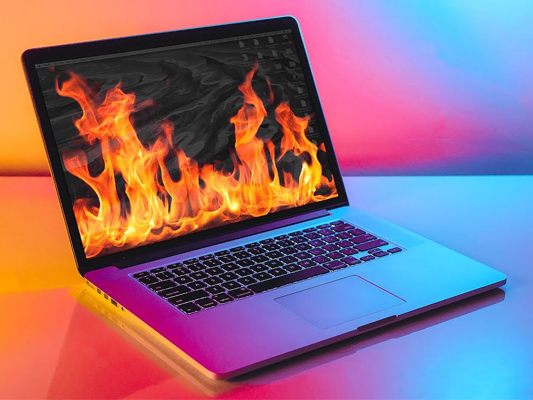
Laptops are used extensively in the modern era. The portability it offers is one of the main reasons why most opt for a laptop. However, it has downsides like any other electronic gadgets. One of the biggest being the heat it produces. We, human beings, show our frustration often by venting out anger emotions. When it comes to laptops, it vents out heat when it's frustrated (its components are disturbed). Though, not all the models get heated up especially the high-end ones.
If you have accessed this blog deliberately, then we guess that you are troubled with your laptop's overheating issues. It's really annoying, isn't it? The heat at times reach the keyboard area and make it hard for us to even type. Luckily, there are methods by which you can alleviate the heat or sometimes completely get rid of it. Before we hop into those methods, let's see why laptops overheat.
What Causes Laptop Overheating?
The culprits are multiple when it comes to overheating of a laptop. The reason can be anything given below:
- The inside of the laptop is cluttered with dust, especially on the fan, clogging the venting pathway.
- Usage of some applications that are heavy for the CPU to process.
- Hardware failures.
- Ageing of the laptop.
- Degeneration of thermal paste (a paste that comes pre-applied on the majority of CPU for the purpose of keeping the processor cool)
- Relentless usage
- Excessive charging
Now let's see the remedies!
Keep Your Laptop On Flat Surfaces
First and foremost, this is what you should do to prevent overheating of your laptop. Adequate airflow is imperative to keep your laptop cool and when you keep it on uneven surfaces like a bed, blanket or rug, the airflow gets blocked and it leads to overheating. Sometimes, your laptop becomes so hot that it automatically shuts down which could result in data loss. Overheating could even break out the fire. Therefore, the best bet is to keep your laptop on a flat surface like a table or any other similar surface.
Clean The Fan Occasionally
The purpose of the grill that's placed beneath a laptop is to vent out the air from the fan. It also acts as a pathway for the air outside to travel inside the laptop. Along with the air comes all the particles which then settle on the fan. The piling up of these particles disrupts the performance of the fan and hence, the system doesn't perform as it's supposed to do. As a result, it gets heated and sometimes it puts us to a situation where we can't keep the laptop on our lap, ironically. The solution to this is to clean the fan periodically so that it stops the accumulation of dust-like particles. For cleaning it's better to use a canned air (also known as 'gas duster') because servicing a laptop can get a tad difficult when compared to servicing a PC. However, if you are knowledgable enough, then you could pop up the bottom lid and clean the fan by yourself.
Limit Using Intense Applications
When it comes to handling the load, every processor has certain limits. So, when you run heavy processor-intensive software or application, your laptop may not be able to bear it and gets heated up as a result. These applications can be anything like high-end games, coding or graphic designing applications. Even browsing through a website that runs tons of scripts can also lead to overheating of laptops. Therefore, it's ideal to limit running such application or if it's necessary for you to use them, then consider upgrading your laptop.
Ensure Your Room Is Cool
When your room is hot, there is a high chance for your laptop also to get hot. That is one of the reasons why many workplaces are air-conditioned. Therefore, ensure your room is cool, otherwise, your laptop will start overheating and sometimes, even the components of it might fail. Either turn on the Air Conditioner if you have it or else ensure you keep your laptop where there is no direct sunlight and also make sure the windows of your room are open so that there will be more air circulation in the room.
Ensure There Is Enough Ventilation
Most of the time when we place the laptop, the grill gets covered and therefore, the airflow gets blocked. So, whenever you place the laptop wherever you wish, ensure there is enough ventilation. If you are placing it on your lap, make sure your thighs are not blocking the grill. If you are placing it on a table, keep it a bit elevated with the help of a something thick like a book. You could also opt for a laptop stand which would perfectly cater to your needs. Another option is to go for a cooling pad/stand which will provide extra cooling for your laptop. When buying a cooling pad check whether it suits your laptop. If you end up buying incompatible pad, it would be harmful to your laptop.
Test For Hardware Failures
A laptop is comprised of many components out of which some are rather complicated. Even a failure of a tiny component may result in overheating. Therefore, it's of utmost importance to check whether every hardware is working properly. You could check for hardware failure with the tools like 'Performance Monitor' and 'Windows Memory Diagnostic'. This can furnish you with details regarding your hardware and if you see any failures then replace them as soon as possible.
Overheating has the potential to completely fail a laptop. Therefore, keep in mind all these when using a laptop. If the heat becomes unbearable and none of the preventive measures is panning out well, then it's better to upgrade the hardware if possible or go for a new laptop.